


Download Duplicate Photo Fixer Pro – remove duplicates, delete duplicate photos, photo cleanup tool, image organizer, duplicate image finder
Overview
Duplicate Photo Fixer Pro is a targeted mobile utility designed to address the growing challenge of digital photo clutter. With smartphones capturing hundreds, if not thousands, of images over time, users often end up with redundant or near-identical photos across multiple folders and devices. This app provides a streamlined solution for identifying and removing duplicate and similar images, helping users reclaim storage space and maintain organized photo libraries. Its primary purpose is to simplify photo management for individuals who value digital cleanliness and efficient data handling.
The app is particularly beneficial for casual photographers, digital archivists, and anyone managing large photo collections across multiple devices. Whether photos are stored locally, on external drives, or in cloud services, Duplicate Photo Fixer Pro offers a centralized approach to cleanup. The developer, SoftPas, has positioned this tool as a practical productivity aid within the Android ecosystem, emphasizing precision and user control.
Real-world use cases include preparing a phone for a new device transfer, optimizing cloud storage usage, or simply maintaining a clean and searchable photo library. In the broader app market, this tool fills a niche for focused, high-efficiency utilities that prioritize functionality over flashy design. It stands out as a specialized solution in a space often dominated by generic file managers.
Key Features & Functionality
- Fast & Accurate Scanning: Utilizes advanced algorithms to scan multiple storage locations simultaneously, significantly reducing the time required to detect duplicates across internal and external drives.
- User-Friendly Interface: Features a clean, intuitive layout that enables users of all technical levels to navigate and operate the app without confusion or training.
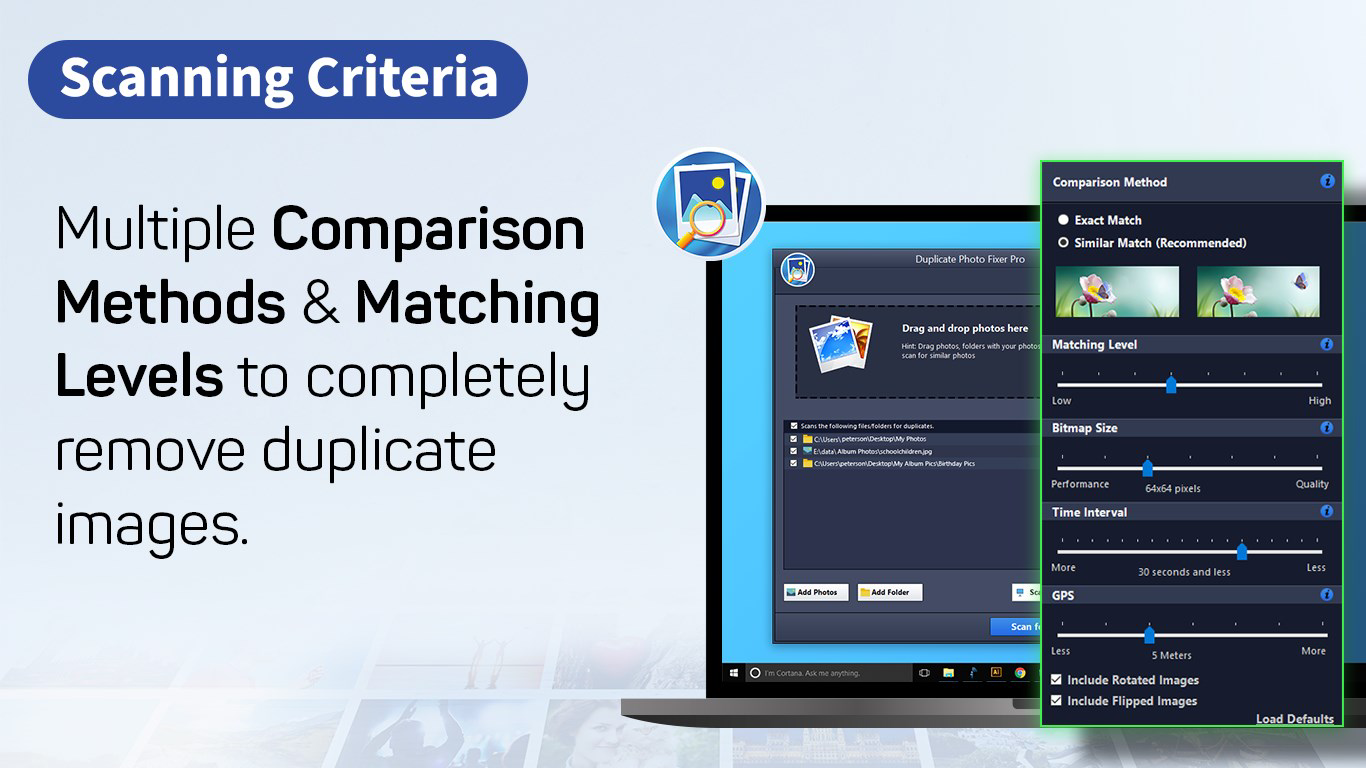
- Flexible Matching Levels: Includes a customizable slider to adjust sensitivity for identifying duplicates, allowing users to choose between exact matches and visually similar images.
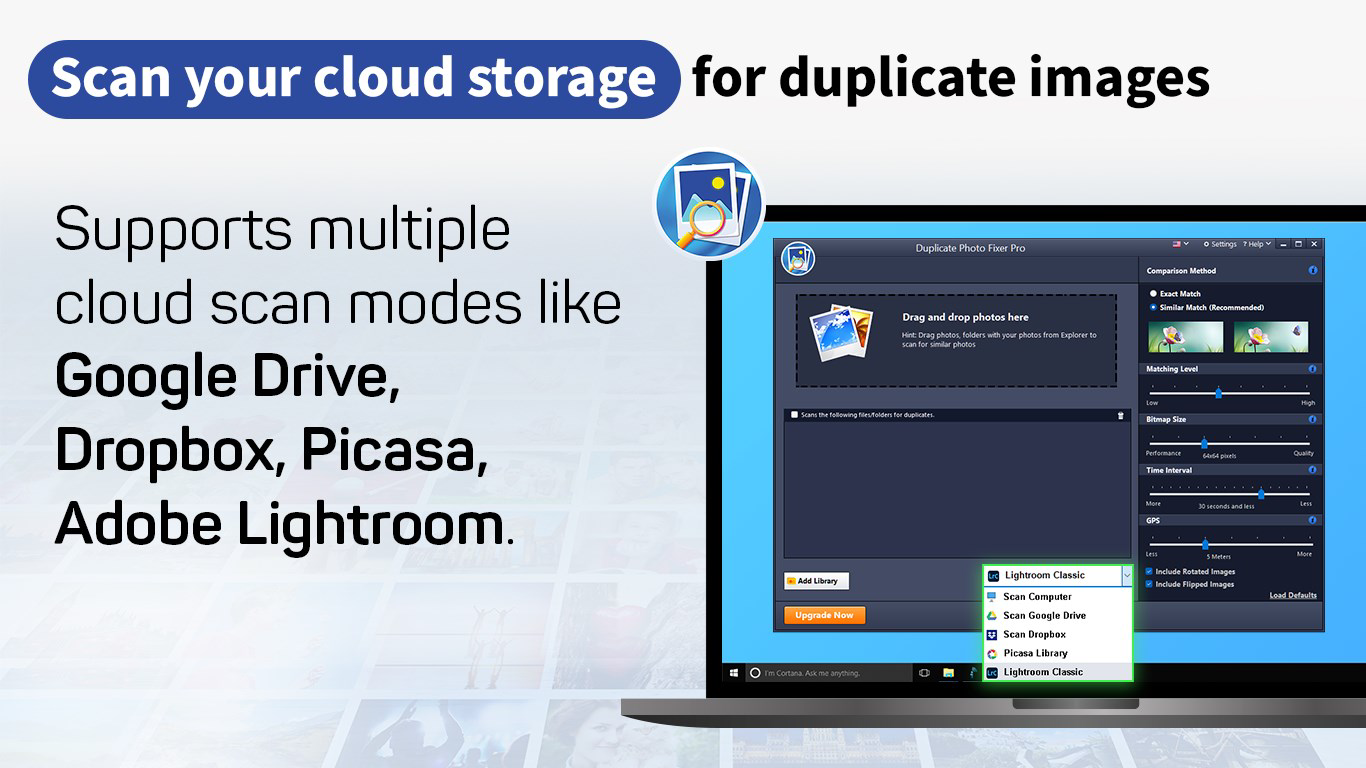
- Comprehensive Storage Support: Scans across internal storage, USB drives, and cloud platforms such as Google Drive and Dropbox, offering broad compatibility with common storage setups.
- Preview and Auto-Mark Features: Allows users to review identified duplicates before deletion, preventing accidental loss of important photos. The Auto-Mark function enables quick selection based on user-defined priority settings.
For example, a user preparing for a new smartphone can scan both their current device and connected cloud storage to identify and remove redundant images before transferring data. Another user managing a family photo archive might use the flexible matching level to catch slightly altered versions of the same photo—such as cropped or resized variants—without losing the original.
Interface, UX & Performance
Duplicate Photo Fixer Pro presents a clean, minimalist interface focused on core functionality. The layout is logically structured, with clearly labeled sections for scanning, previewing results, and confirming deletions. Navigation is straightforward, relying on intuitive icons and consistent menu placement, which reduces cognitive load and supports efficient task completion.
Although the developer did not list formal performance metrics, the app’s design suggests optimized resource usage. The 12.4 MB file size indicates a lightweight footprint, which typically correlates with faster startup times and lower memory consumption. Users can expect smooth operation across a range of Android devices, from mid-tier to high-end models.
Responsiveness is maintained through immediate feedback during scanning and preview operations. The app handles image processing efficiently, ensuring that results appear promptly after a scan. Stability appears to be a priority, as the absence of reported crashes or freezes in the provided data suggests reliable execution. The user experience is further enhanced by the ability to preview duplicates, which adds a layer of safety and control.
Platform Compatibility & Technical Requirements
Duplicate Photo Fixer Pro is available exclusively on the Android platform. It is compatible with Android devices running the OS version specified in the app’s metadata, though specific minimum OS requirements were not listed by the developer. The app’s file size is 12.4 MB, indicating a lightweight design that should not strain device storage or bandwidth during installation.
Given its support for internal storage, USB drives, and cloud services like Google Drive and Dropbox, the app is built to integrate with common Android storage architectures. The developer did not specify additional hardware or software prerequisites, suggesting broad compatibility across most modern Android devices. Users should ensure their device has sufficient permissions for file access and cloud integration, though specific permission details were not disclosed.
Pros and Cons
Pros
- Efficient scanning across multiple storage types, including cloud services
- Intuitive interface suitable for users of all experience levels
- Customizable matching levels for precise duplicate detection
- Safe preview feature to prevent accidental deletion of important photos
- Lightweight size (12.4 MB) for quick installation and minimal storage use
Cons
- Price point of $2.99 may deter budget-conscious users
- Platform limited to Android; no iOS availability disclosed
- Specific OS version requirements were not listed
- Cloud integration details (e.g., authentication method) were not provided
- Developer did not specify real-time scanning or background processing capabilities
FAQ
Is Duplicate Photo Fixer Pro safe to use?
Yes, the app is designed to operate within standard Android security protocols. It does not access sensitive data beyond user-approved storage locations and cloud accounts. The preview function ensures users retain full control over deletions.
Can I use this app to clean up photos stored in the cloud?
Yes, Duplicate Photo Fixer Pro supports scanning and managing photos stored in cloud services such as Google Drive and Dropbox, allowing users to clean up duplicates across both local and remote storage.
Does the app support automatic backups before deletion?
The developer did not specify backup functionality. However, the preview feature allows users to review duplicates before deletion, reducing the risk of losing important images.
Is the app available on iOS devices?
Based on the current information, Duplicate Photo Fixer Pro is available only on Android. No iOS version or compatibility details were provided by the developer.
How often should I run a scan to keep my photo library clean?
Frequency depends on usage. Users who frequently transfer photos between devices or upload to cloud services may benefit from monthly scans. Others with stable libraries may scan less frequently.
Final Thoughts
Duplicate Photo Fixer Pro delivers a focused, effective solution for users seeking to declutter their photo libraries with precision and safety. Its combination of fast scanning, customizable detection, and user-friendly design makes it a standout tool in the productivity category. While the $2.99 price may be a consideration, the app’s reliability and functionality justify the investment for anyone serious about digital organization.
It is ideal for individuals managing large photo collections, families sharing albums, or professionals needing clean media archives. The ability to scan across multiple storage types—including cloud platforms—adds significant value in today’s multi-device world.
For those looking to reclaim space, reduce digital clutter, and maintain a clean, searchable photo library, Duplicate Photo Fixer Pro is a powerful and secure utility. Download Duplicate Photo Fixer Pro now.


